 DBackup
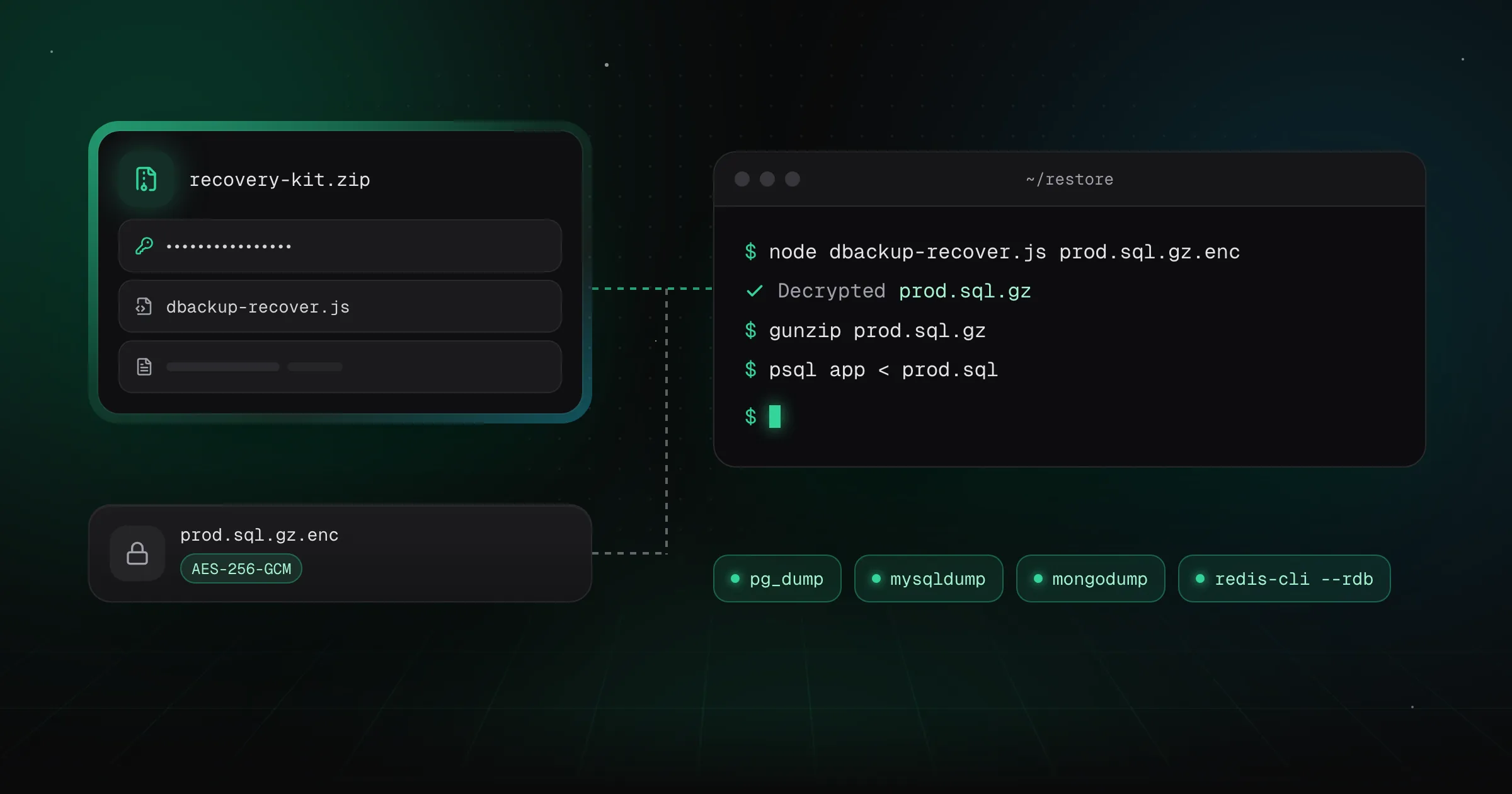
Most backup tools ask you to trust them twice: once to create the backup, and once again to restore it. If the tool disappears, changes its pricing, or simply stops working, the backup format often becomes a liability instead of a safety net.
DBackup takes a different position: every backup is a standard database dump, exactly what pg_dump, mysqldump, mongodump, or redis-cli --rdb would have produced on their own. The only thing DBackup adds on top is encryption and compression as separate steps, not a replacement for the dump itself. Open the archive without DBackup, and you find the same SQL, BSON, or RDB output any database administrator already knows how to work with.
What "open encryption" actually means
Encrypted backups use AES-256-GCM, a well-documented, widely implemented standard - not a custom cipher or a format that only DBackup understands. AES-256-GCM support exists in virtually every programming language's standard library, so decrypting a DBackup archive is a matter of a few dozen lines of code, not a dependency on a specific vendor's software.
The Recovery Kit
Every encryption profile in DBackup can generate a Recovery Kit - a downloadable ZIP containing:
- The raw encryption key for that profile
- A standalone Node.js decryption script that needs nothing but Node.js itself to run
- A short instructions file covering the exact decrypt to decompress to restore sequence
Keep this kit somewhere DBackup itself can't reach - a password manager, a safe, a printed QR code - and it becomes your insurance policy against the one scenario every self-hoster should plan for: the tool that made the backup is no longer available when you need to restore.
The actual recovery path
If DBackup is ever unavailable, restoring a backup manually comes down to two steps:
- Decrypt and unpack - run the standalone script from the Recovery Kit against the backup. It decrypts each dump with your key, undoes the Gzip or Brotli compression of the job and checks the SHA-256 recorded for the dump before it writes the file.
- Import - feed the dump into the native restore tool for that database engine (
mysql,pg_restore,mongorestoreand so on, or for Redis the RDB file put in place of the old one) exactly as if you'd made the dump yourself.
None of these steps involve DBackup. That's deliberate. A backup tool's job is to make backups easy to create and easy to manage day-to-day, not to make itself indispensable for the one moment that actually matters.
