 DBackup
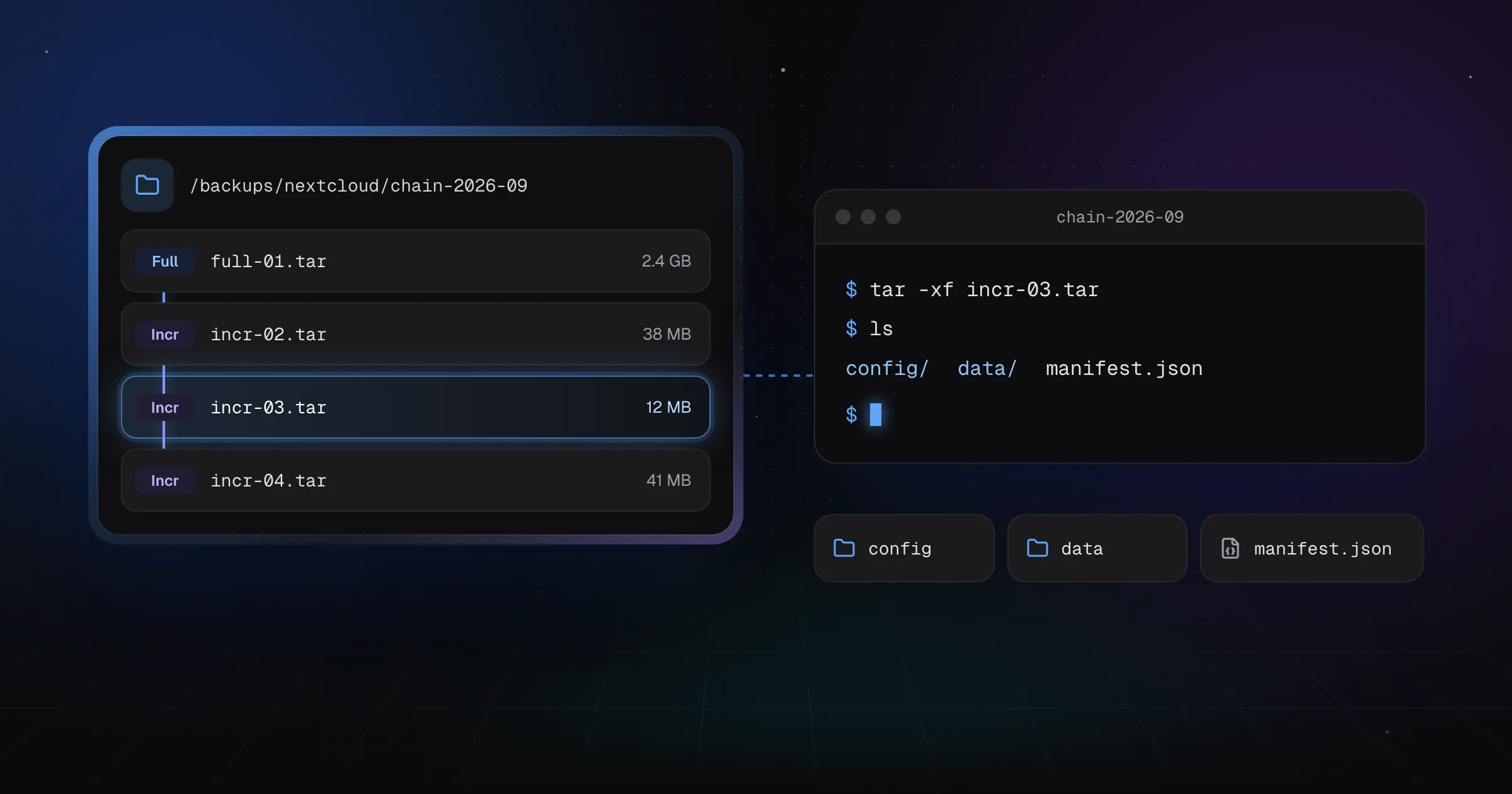
Adding file and folder backups to DBackup meant answering a question that database dumps never really posed: what does an incremental backup look like? A dump is produced whole every run. A directory tree with 48,000 files, of which three changed since yesterday, is a different problem, and the answer to it decides what a backup fundamentally is.
There are two well-trodden designs, and they are not a matter of taste. They pull in opposite directions.
The efficient answer: a chunk store
restic, Borg and Kopia all work roughly the same way. Files are split into variable-length chunks by a rolling hash, each chunk is identified by its own content hash, and the repository keeps one copy of each distinct chunk. A snapshot is then not a file at all - it is a list of references into that shared store.
The results are genuinely excellent. Change one byte in the middle of a 10 GB disk image and only the affected chunk is stored again. Move a directory somewhere else and nothing is stored at all, because the chunks are already there under the same hashes. Back up twenty servers that all run the same distribution and you pay for one copy of /usr/lib.
If storage efficiency is your first constraint, this is the correct design, and DBackup does not beat it. It is not close.
What the chunk store costs
The price is not paid in features. It is paid in what a backup is.
In a chunk-based repository, no single file is your backup. Your data lives spread across pack files, addressed by an index, resolvable only by something that implements the whole format: chunking parameters, pack layout, index structure, the encryption scheme wrapped around all of it, and the locking protocol that keeps concurrent operations from corrupting it. Deleting old snapshots is not deleting files, it is garbage collection, because a chunk may still be referenced by a snapshot you are keeping.
That is a lot of machinery to depend on at the exact moment you need it most. These tools are excellent and widely trusted, and a well-maintained open format with several independent implementations is a real answer to that concern. But it is a different answer from the one DBackup makes: that you can get your data back with tools you already have, without trusting anything of ours.
We had already committed to that promise for databases. Every dump DBackup writes is what pg_dump or mysqldump would have produced on its own, encrypted with AES-256-GCM as a separate step. Building the file side on a chunk store would have meant running two philosophies in one product, and quietly retiring the promise for everything that is not a database.
What DBackup does instead
An incremental run stores whole changed files. Files that did not change are not copied, but they are not forgotten either: the new archive's index carries a reference to the archive in the chain that already holds those bytes.
The consequences are the point of the design:
- Every archive is a plain TAR. Unencrypted,
tar -xf backup.targets your files out, and nothing about DBackup is involved. - Encrypted archives use per-entry sealing with a fresh key per archive, and the layout is specified byte by byte in the Archive Format reference. The Recovery Kit's
restore_archive.jsis an independent implementation of that document, and it needs nothing but Node.js. - A chain lives in one folder, holding a full backup and the incrementals built on it. Copying "a backup" means copying a folder, in any file browser, without knowing anything about the format.
- Deleting is deleting. A chain is removed once all of its snapshots have expired, and the retention log names anything kept only because its chain is still in use. There is no garbage collector, no repository lock, and no operation that can leave the destination in a state only DBackup can repair.
- Because nothing is compressed or encrypted as a whole, restoring one file out of a 200 GB backup fetches that file. On S3 that is a handful of range requests, not a 200 GB download.
The bill, in numbers
Naming the cost is more useful than the design rationale, so here it is.
- A renamed or moved file is stored again. Its path changed, and paths are how DBackup identifies files. A chunk store would recognise the content and store nothing.
- A one-byte change in a 10 GB file re-stores 10 GB. There is no sub-file delta. This is the worst case for DBackup, and it is common with disk images, large VM disks and append-only database files that get rewritten.
- No deduplication across jobs, sources or chains. The same file present in two directory sources is stored twice. Starting a new chain re-stores everything.
- GFS retention pins whole chains. A monthly slot landing in the middle of a chain keeps that chain's full backup and its incrementals for as long as that one snapshot is kept.
Two things keep the ordinary case reasonable. Every entry is compressed on its own, so text-heavy trees still shrink normally. And files at or below 64 KB are packed into shared bundles of about 4 MB before being compressed and sealed, which is what keeps a million small files from paying a TAR header, a fresh compression dictionary and an auth tag each.
tar -xf promise.When you should use something else
We would rather you have working backups than ours.
Use restic, Borg or Kopia if you are backing up VM images or large binaries with small internal changes, if you need deduplication across many machines, or if you are keeping long retention over datasets where the storage difference decides whether the backup is affordable at all. Those are the cases where the chunk store earns its complexity, and no amount of format elegance compensates for a backup you cannot pay to keep.
Use DBackup when your databases and the files belonging to them should go into one job, one schedule, one retention policy and one restore point - and when it matters to you that the result is an archive you could still open in five years with a laptop, a copy of the format specification and no working DBackup anywhere in sight.
That was the trade. We think it is the right one for the tool DBackup is trying to be, and it seemed worth writing down rather than letting you discover the storage bill on your own.
